
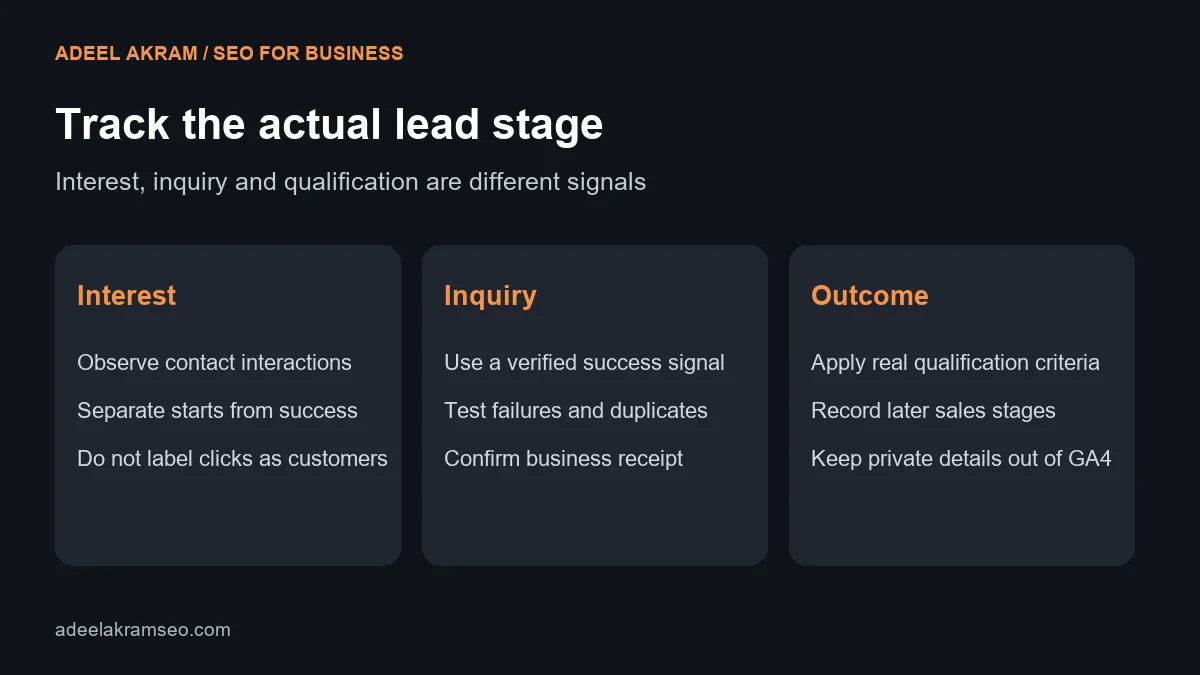
GA4 lead tracking should distinguish interest, a successful inquiry and a qualified business opportunity. Clicking a contact button does not prove a message reached the business. A successful form submission does not prove the person fits the service. Define these stages before deciding which events belong in the report.
This guide explains a practical measurement plan for service websites. It describes what to test and document; it does not imply that your website’s tracking has already been configured or verified.
Map the actual inquiry paths
List the ways a visitor can contact the business: website forms, booking tools, phone links and other approved channels. For each path, identify the action, success signal, delivery destination and owner. Include embedded or external tools that may use a different domain.
Record which paths the website can observe directly. A phone-link click can show an interaction, while a completed call needs additional evidence. A booking button can lead to an external tool, while the confirmed appointment may occur elsewhere. Keep these distinctions in the event plan.
Use event names that match real stages
Google’s recommended events include generate_lead for initial lead generation and later-stage events such as qualify_lead and close_convert_lead. Recommended events need implementation and context; GA4 does not automatically infer the full sales process from a form.
Use a successful inquiry signal for the initial lead event. Decide how the business establishes qualification and customer status before designing later-stage reporting. Those stages may require a separate CRM or approved integration workflow. Do not assign them merely because the visitor clicked a button.
Distinguish automatic form observations from verified leads
Enhanced measurement can collect form interaction events such as form_start and form_submit when the relevant option and detection work. Review the enhanced measurement documentation and test the actual form technology. An observed form interaction is not a guarantee that the business received a useful inquiry.
Some forms use asynchronous requests, embedded interfaces or custom behavior. Inspect the success response rather than assuming a generic submit trigger represents completion. A developer or tracking specialist should select the implementation appropriate to the form and its supported events.
Avoid building a lead event from every form on the site. A newsletter signup, search box and consultation request have different purposes. Define which action belongs to the business outcome you are measuring.
Write an event specification before setup
| Stage | Observable evidence | Reporting treatment |
|---|---|---|
| Contact interest | A relevant contact-link interaction | Micro-action, not a confirmed lead |
| Form started | Detected interaction with the intended form | Progress signal |
| Successful inquiry | Verified successful action for the intended request | Initial lead event where appropriate |
| Delivery confirmed | Business system received the message | Operational verification |
| Qualified lead | Business applies agreed suitability criteria | Later-stage record or correctly implemented event |
| Lead worked | Representative contacts or is contacted | Sales-process stage |
| Customer conversion | Business verifies the customer outcome | Later-stage outcome, not a button click |
| Unsuccessful or unsuitable inquiry | Validation failure, spam or disqualification | Separate category rather than a successful customer |
Test failure cases as well as successful submissions
Create a test checklist for valid submission, missing fields, invalid input, repeated clicks, refresh and a return visit to the success page. The expected lead event should reflect the agreed success condition. It should not fire for validation failure or count one action several times unintentionally.
Check whether several components send the same event. A plugin, tag manager and custom script can overlap. Document which component owns the event and remove unintended duplication through the approved implementation process. Do not disable unrelated tracking blindly.
Use appropriate debugging and realtime tools to inspect the test behavior. Then verify the live form and delivery path after release. Record the date, form version and observed result so later changes can be checked against the same procedure.
Keep private form data out of routine analytics
Use non-sensitive context such as the form purpose or service category where appropriate. Do not send names, email addresses, phone numbers or free-text inquiry messages as ordinary event parameters or URL values. Review Google’s guidance on avoiding personally identifiable information before implementation.
Inspect URLs, page titles and parameters as well as the event name. A success page that includes an email address in its query string can create a problem even if the event parameters look harmless. Keep customer details in the approved business system rather than copying them into general analytics.
Respect the website’s consent implementation and applicable collection requirements. If some activity is not observable, explain that limitation in reporting instead of treating missing records as proof that no inquiry occurred.
Choose key events and reports deliberately
Mark the meaningful implemented action as a key event when it represents the agreed business objective. Do not mark every click as equally important. Separate initial inquiry volume from qualified leads and customer outcomes so a larger number does not hide lower suitability.
Label report scope and counting method. Event counts, users and sessions are different measures. A person can submit more than once, and later-stage outcomes may occur in another reporting period. Match the report with the question it is intended to answer.
Reconcile analytics with business records periodically. Expect some differences because observation, timing and definitions differ. Investigate large or sudden discrepancies rather than forcing the totals to match through assumptions.
Retest after changes to the website
A new form plugin, theme release, consent change or booking tool can alter the tracking path. Include the event test in the release checklist. Assign someone to monitor sudden drops, duplicate events and changes in delivery.
Technical checks should sit alongside the wider website review. The SEO audit checklist helps connect page access and content work with the inquiry experience. Reliable measurement makes that work easier to evaluate.
Questions about GA4 lead tracking
Is form_submit always a qualified lead?
No. It represents a detected form action under the implementation. Qualification requires business criteria and evidence beyond that interaction.
Can a phone click count as a successful call?
No. Label the click as interest unless a separate system provides reliable call-outcome evidence.
Does GA4 automatically know when a lead becomes a customer?
No. The business needs a correctly designed later-stage record or integration. Recommended event names alone do not create that connection.
What is the first useful tracking test?
Complete the intended inquiry, confirm delivery and inspect that the agreed event fires once. Then test validation failures and repeat behavior.
Measure the real action before optimizing for it
Create an event plan for one important inquiry path and test it from visitor interaction through business receipt. Only then use it to compare content or channels. For help reviewing your measurement and website workflow, contact Adeel Akram. Clear definitions make lead tracking useful.