
A WordPress speed case study should show the testing conditions, the actual change and what happened to the user experience. A higher lab score alone does not establish that every visitor received a faster page or that the change improved rankings. Separate diagnostic tests, field observations and business outcomes.
This article is a measurement and reporting method. No speed optimization, before-and-after score or client result is invented. Use the workflow to collect a credible study for the website you actually test.
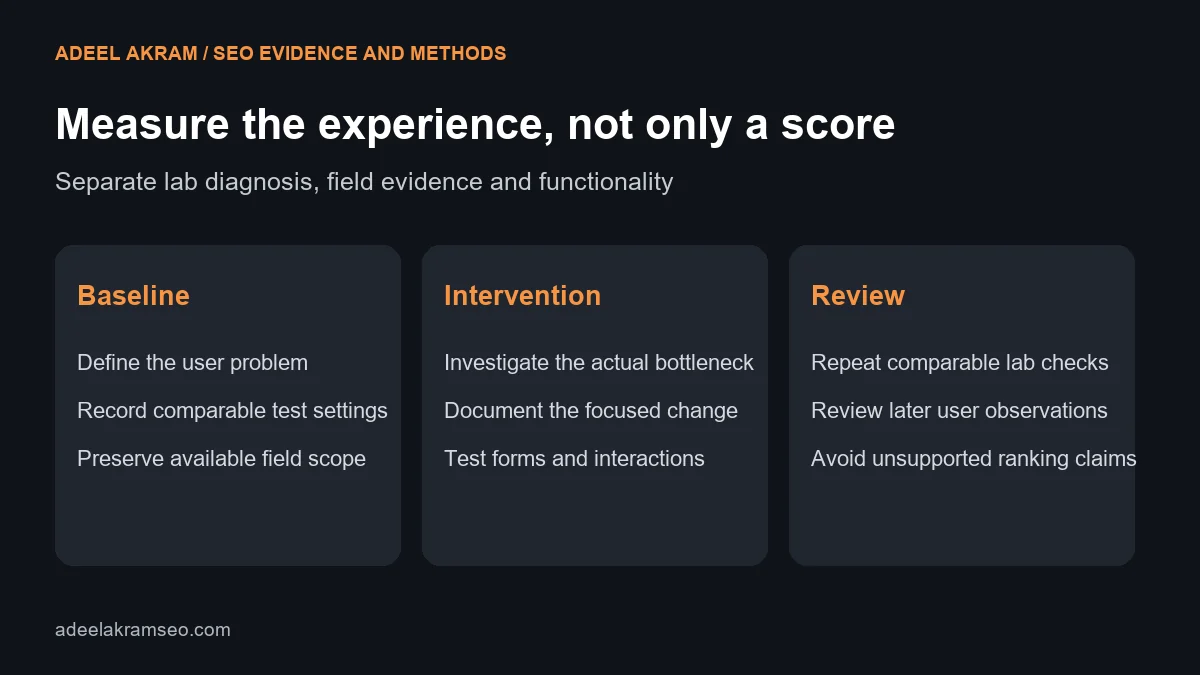
Choose the experience to investigate
Select an important page or template and describe the problem. The main content may appear late, a layout may shift during loading or interactions may respond slowly. These symptoms call for different investigations.
Include the relevant journey, such as reading a service page and opening the inquiry form. A page can achieve an attractive initial-load score while a later interaction remains difficult. Define the experience before deciding what number to optimize.
Separate lab and field evidence
Lab tests provide repeatable conditions for diagnosis. Field data reflects observed real-user conditions and may cover an earlier collection window. Google’s PageSpeed Insights documentation explains the tool’s lab and field components. Label which evidence supports each conclusion.
The Web Vitals guidance defines LCP, INP and CLS for loading, interaction and visual stability. Its good thresholds are LCP within 2.5 seconds, INP at most 200 milliseconds and CLS at most 0.1, assessed at the 75th percentile with mobile and desktop separated.
A simulated Lighthouse load does not measure real-user INP; its TBT can help diagnose related blocking. Do not relabel TBT as INP or claim that one lab run proves a field threshold has been met.
Preserve a comparable baseline
Record the URL, template, date, device profile, test tool and relevant settings. Note whether the page uses a warm cache, whether the visitor is signed in and whether third-party content is present. These conditions can change the result.
Repeat appropriate lab observations rather than selecting the best single run. Preserve the variation and chosen summary method. If field data is unavailable, state the gap rather than treating no data as a passing result.
Record the WordPress environment at a useful level: theme, relevant plugins, hosting and delivery components. Keep private access details out of the public case study. The record should explain the intervention without becoming a credential inventory.
Use a speed-study evidence table
| Record | What to preserve | What it establishes |
|---|---|---|
| User problem | Relevant page and difficult behavior | The reason for the investigation |
| Lab baseline | Tool, device and repeated conditions | A diagnostic starting point |
| Field baseline | Scope, window and available metrics | Observed user context where data exists |
| WordPress change | Exact component and configuration change | The intervention |
| Functional checks | Forms, menus and important interactions | Whether optimization broke the workflow |
| Lab retest | Comparable conditions and variation | Observed diagnostic difference |
| Field review | Later appropriate window and scope | Whether user observations changed |
| Outcome limits | Other releases and missing evidence | How far the conclusion can go |
Identify the cause before changing every plugin
Inspect the relevant loading or interaction path. A late main image, server delay, blocking script and layout shift are different issues. A broad plugin cleanup without evidence can remove useful functionality while leaving the bottleneck intact.
Choose a focused intervention and record why it addresses the observed symptom. Examples might include a more suitable image, a layout dimension or an unnecessary script, but these are possible actions rather than a universal prescription.
Use staging or another appropriate review process for changes that affect behavior. Record the original configuration and recovery plan. Do not switch several delivery layers at once and then attribute the result to whichever plugin appears in the headline.
Verify usability after the change
Test the important forms, navigation, consent behavior and dynamic components. Confirm that the site still delivers the service information and inquiry path correctly. An optimization that breaks the business workflow is not a successful improvement.
Inspect mobile and desktop behavior. Check for missing images, delayed buttons, broken fonts and shifts after interaction. A screenshot of a score cannot establish these functional outcomes.
The SEO audit checklist can place performance work within the wider website review. Page access, content and measurement need attention alongside speed.
Retest under the same conditions
Repeat the lab procedure after the live deployment and document its date. Compare the same page and test settings. If the test environment changes, explain whether the comparison remains useful.
Review field evidence after an appropriate collection period where available. Do not expect a historical aggregate to reflect a release immediately. Also check whether the field view describes the individual URL or a broader origin before making a page-specific claim.
Preserve unsuccessful runs and regressions. A study should not select only the fastest observation from the new version while using a slow outlier as the old baseline.
Report the effect without inventing a ranking story
State the technical change, lab observations, field observations and functional checks separately. If lab diagnostics improve but field evidence remains unavailable, report that exact condition.
Do not infer increased revenue or rankings from a score alone. Those outcomes require separate records and a suitable comparison, with other changes and demand in view. A clearer user experience can still be valuable without an unsupported commercial claim.
Include limitations and next actions. The result may support keeping the change, investigating another bottleneck or reverting a regression. A useful case study explains the decision as well as the number.
Questions about a WordPress speed case study
Does a 100 lab score prove every visitor has a fast experience?
No. Lab conditions and real-user conditions differ. Review field evidence and the relevant interactions where available.
Can Lighthouse TBT be reported as INP?
No. They are different metrics. TBT can support diagnosis but is not a substitute label for real-user INP.
Should every speed test disable all plugins?
No. Investigate the relevant cause and use a controlled review process. Broad changes can break functionality and make attribution harder.
Has this study measured a speed improvement?
No. This is a measurement method with no performed optimization or before-and-after result claimed.
Make the speed result understandable
Define the user problem, preserve comparable conditions and verify that the change retains functionality. Report lab and field observations with their limits. For help diagnosing WordPress performance and website issues, request a technical review. A credible speed study measures the experience behind the score.